MYiCLUBonline 1.34.1 Release Notes
Release Overview
Release Date: September 5, 2017
Release Number: 1.34.1
Security:
Enhancement Details
Sign In Link Added to Retrieve Agreement Acknowledgment Page
Previously, if a user requested a forgotten user name, password, and/or agreement number, there was no link to redirect the user back to the main sign in page once this information was received.
We added a link to the confirmation page to make it easier for the user to return to the sign in page.
Checkbox Hidden When Club is set to EFT Only
In the Due Today screen, a checkbox gives users the option to use the same credit card to pay their due today amount. For any clubs set to EFT Only, this checkbox was viewable but disabled. This confused users who mistakenly thought that they needed to select the checkbox.
Example: MYiCLUBonline Payment Option Checkbox
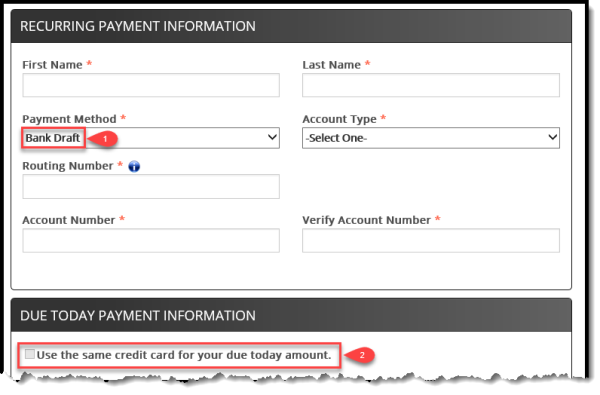
Going forward, this checkbox will be hidden for clubs who are set to EFT Only. All other clubs will still be able to view and select the checkbox.
Update MYiCLUBonline Calendar Message - No Scheduled Events
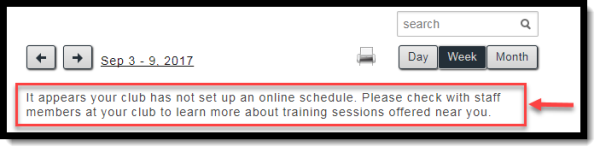
When users access a calendar with no scheduled events, the message now reads as follows:
“It appears your club has not set up an online schedule. Please check with staff members at your club to learn more about training sessions offered near you.”
Example: New MYiCLUBonline Calendar Message
Issue Resolution Details
MYiCLUBonline Showing Null Value When Making a Payment
When users attempt to make payments to a club in Stop status, meaning that ABC no longer collects money for this club, they receive an error message. Previously, this error message displayed "null."
The payment error message has been updated to read as follows:
"Payment or update unsuccessful. Please contact your club for further assistance.”