Change Management Type
You can change the member’s management type on the member’s Invoices page.
Once the member has been changed from ABC to Club Managed, ABC will no longer bill the account.
To change the Management Type
- Go to the member’s Invoices page.
- While in ABC view, click Edit in the upper right-hand corner of the page.
- In the edit menu, click Management Type.
The Edit Management Type dialog box appears. It indicates which Management Type to choose.
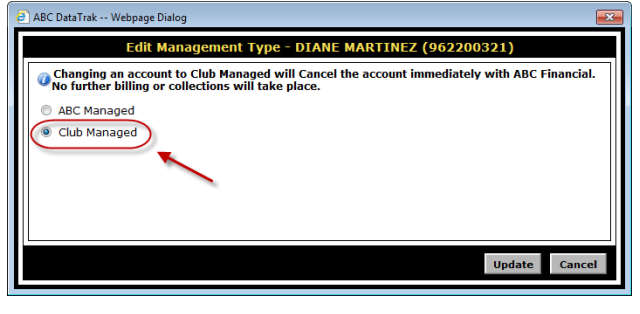
- Select the Club Managed radio button and click Update.
- When the Confirm dialog box appears, click OK.
The member will now be Club Managed.
 © 2024 ABC Fitness Solutions, LLC.